Local AI Processing Core

Convert Manga to Video Automated Recap Factory.

Stop editing for hours. SnapRecap batch processes manga chapters into perfectly synced video timelines. Professional automated video production engineered to run locally on your GPU. Export universal .OTIOZ files for Premiere Pro, Resolve, or CapCut.
Works Offline • Local Privacy Guaranteed
SnapRecap_Pro_v1.0.exe
SnapRecap interface showing an automated video timeline being generated from manga pages
Problem Identification

The Old Way is Broken

Creating recaps shouldn't feel like manual labor. Stop fighting with your timeline.

  • Manual Cutting

    Slicing pages, removing gutters, and stitching panels typically takes hours of repetitive clicking.

  • Tedious Scripting

    Writing scripts from speech bubbles and syncing AI voice generation is an error-prone mess.

  • Creative Burnout

    Creators spend 20+ hours per video on repetitive formatting tasks instead of storytelling.

    Download SnapRecap App
  • Transition Fatigue

    Applying keyframes and motion curves to hundreds of assets kills your creativity and your wrist.

Workflow Automation v2.0

How SnapRecap Works

  1. Webtoon Stitching and Slicing Interface showing automatic panel detection
    Ingestion

    Auto-Stitch & Precision Detect

    Transform infinitely vertical scrolls into cinematic 16:9 pages. Our computer vision engine identifies art panels and speech bubbles with pixel-perfect accuracy.

    • Stitch & slice long strips intelligently
    • Detect & separate text bubbles from art
  2. Intelligence

    Multi-Model Batch Generation

    Process crops, generate audio, and write scripts using your preferred LLM—Gemini, Mistral, Ollama, Groq, or OpenRouter.

    • Gemini
    • Mistral
    • Ollama
    • Groq
    • OpenRouter
    AI Dashboard processing script and audio nodes
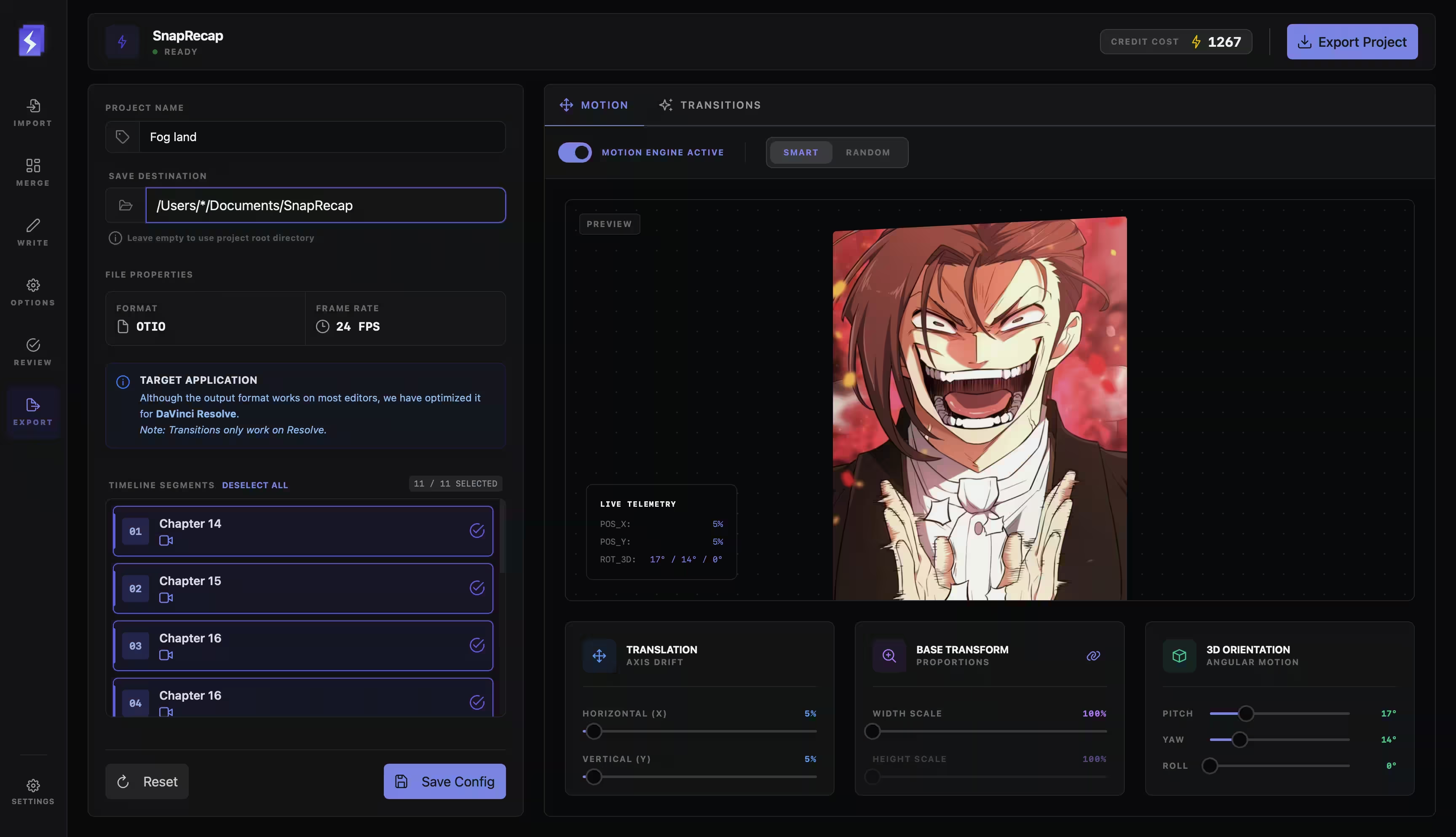
  3. Video editing timeline with pre-applied motion and transitions
    Production

    Smart Motion Export

    We assemble the timeline so you don't have to. Smart motion keyframes (Ken Burns) and transitions are pre-applied, ready for DaVinci Resolve or Premiere.

    • Export .OTIOZ formats
    • Auto-generated Ken Burns & Transitions

Ready to ship your recaps?

Download SnapRecap today. Available for macOS and Windows.

Download SnapRecap for macOS or Windows